
How to Create a Relaxing Home Workspace for Better Productivity
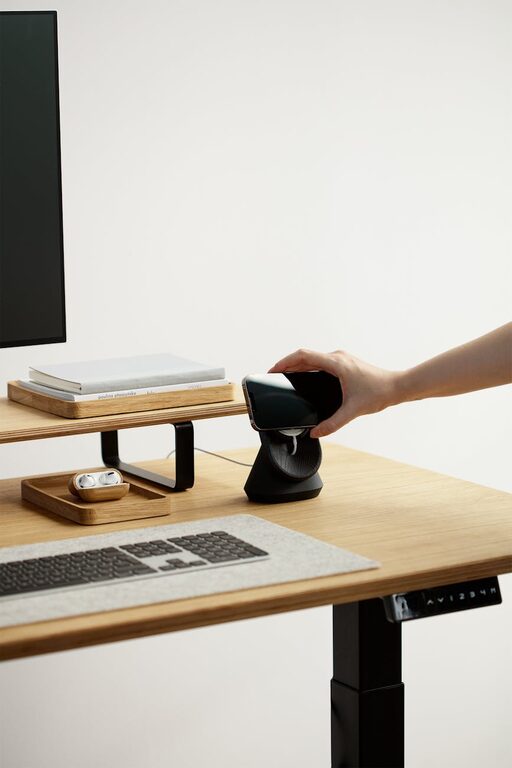
Creating a relaxing home workspace is essential for maintaining focus, reducing stress, and boosting productivity—especially when the lines between home and office start to blur. Whether you work remotely full-time, occasionally work from home, or just need a dedicated area for tasks and creativity, a peaceful and well-organized environment can make all the difference.
In this blog post, we’ll explore practical tips and ideas that will help you transform your home workspace into a calming retreat where work feels more enjoyable and less taxing.
Why a Relaxing Workspace Matters
Many people underestimate the impact of their physical environment on work performance. A cluttered, noisy, or uncomfortable space can increase distractions and stress levels, while a thoughtfully designed workspace promotes clarity, motivation, and wellbeing.
By creating a relaxing workspace, you’re investing in yourself and setting the stage for success in both your professional and personal life.
Choosing the Right Location
The first step in crafting a relaxing workspace is selecting the best spot at home. Here are a few considerations:
– Quiet and Low-Traffic: Pick a space away from household noise and interruptions, such as a spare room, corner of a bedroom, or a nook.
– Natural Light: Position your desk near a window if possible. Natural light improves mood and reduces eye strain.
– Adequate Space: Ensure there’s enough room for your essentials without feeling cramped.
– Temperature and Ventilation: A comfortable temperature and fresh air circulation are important for focus and comfort.
Setting Up Comfortable Furniture
Comfort is key when you spend hours at your desk. Consider the following tips:
– Ergonomic Chair: Invest in a supportive chair with adjustable height and backrest to protect your posture.
– Desk Height: Your desk should allow your arms to rest comfortably at a 90-degree angle.
– Footrest: Use a footrest if your feet don’t comfortably touch the ground.
– Accessories: Consider anti-fatigue mats, wrist rests, or cushion pads to enhance physical comfort.
Organizing Your Workspace
A clutter-free desk helps you feel calm and in control. Here are ways to keep things organized:
– Minimal Essentials: Limit items on your desk to what you frequently use.
– Storage Solutions: Use shelves, drawers, or containers to store supplies out of sight.
– Cable Management: Organize cables with clips or sleeves to reduce tangling and mess.
– Daily Cleanup: Spend a few minutes tidying up at the end of each day.
Adding Relaxing Elements
Incorporate features that bring tranquility and a personal touch to your workspace:
– Plants: Houseplants like succulents or snake plants improve air quality and add freshness.
– Soft Lighting: Use lamps or string lights with warm bulbs instead of harsh overhead lighting.
– Calming Colors: Choose soothing colors such as blues, greens, or neutrals for your decor.
– Personal Touches: Photos, art prints, or meaningful objects can make your space inviting.
– Aromatherapy: Consider using essential oil diffusers or candles with relaxing scents like lavender or eucalyptus.
Reducing Noise and Distractions
Noise can break concentration. To minimize disturbances:
– Noise-Cancelling Headphones: These can help block out background noise.
– White Noise Machines or Apps: Gentle sounds can mask distracting noises.
– Closed Doors or Room Dividers: Close doors or use screens to visually and physically separate workspace.
Establishing a Routine to Keep It Relaxing
Your workspace is most effective when combined with mindful habits:
– Regular Breaks: Take short breaks to stretch and rest your eyes.
– Clear Start and End Times: Define your work hours to separate work from personal life.
– Keep Food and Drinks Separate: Avoid eating at your desk to maintain focus and cleanliness.
– Digital Organization: Keep your computer desktop and files organized to reduce digital clutter.
Technology Tips for a Smooth Workflow
Technology can support relaxation and efficiency when managed wisely:
– Ergonomic Devices: Use a keyboard and mouse that reduce strain.
– Adjust Screen Brightness: Match it to your environment to reduce eye fatigue.
– Use Do Not Disturb Mode: Minimize notifications during work sessions.
– Backup Regularly: Protect your work to avoid frustrating data loss.
Final Thoughts
Designing a relaxing home workspace doesn’t require a large budget or extensive renovations. By thoughtfully choosing your location, investing in comfort, keeping things organized, and adding calming touches, you create an environment that helps you stay productive and stress-free.
Remember, your workspace should evolve with your needs. Take time to reflect on what works best for you and make adjustments as needed. A relaxing workspace is a foundation for not only better work but also a balanced and enjoyable home life.
Happy decorating and productive working!